MatchID
Index reference headshots
Index once. MatchID names those athletes in your photos from then on. This is who MatchID compares faces against; it's separate from the roster CaptionID types from.
The People screen
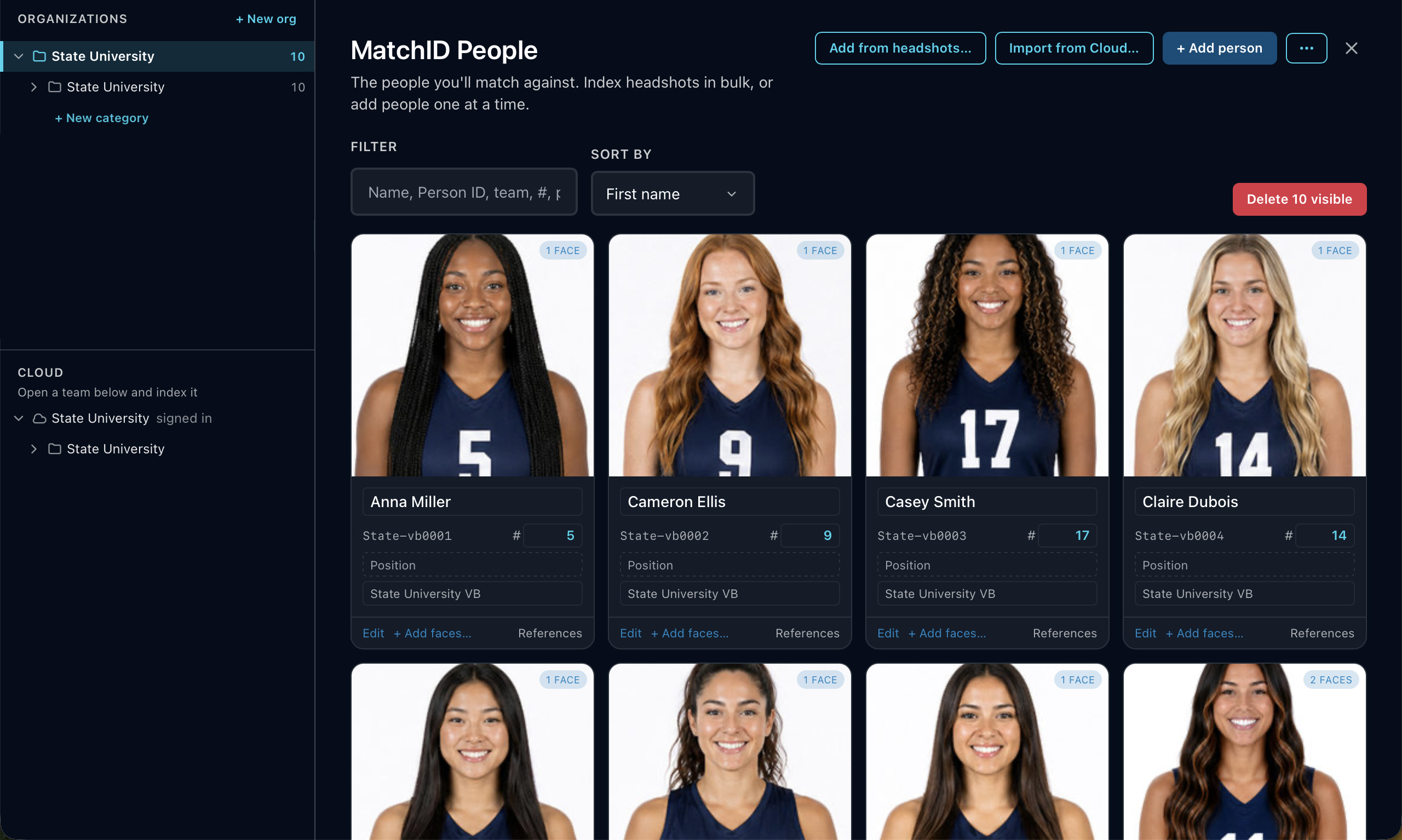

| Control | What it does |
|---|---|
| Add from headshots… | Indexes headshots into the selected subcategory. |
| Import from Cloud… | Copies people from a GalleryID Cloud roster into the selected subcategory, once, as cards you check before indexing. The dialog shows which Cloud account it’s reading. If your login has more than one, switch right there. For a team Desktop keeps up to date with Cloud, use Teams from Cloud below. |
| + Add person | Adds one person by hand. |
| ⋯ | More actions. See More actions below. |
| Filter | Narrows the cards by name, Person ID, team, number or position. |
| Sort by | Orders the cards. |
| Common codes | The common-code set for this team. Set it once and MatchID review offers it for this team in any folder. |
| Delete N visible | Deletes each person the filter is showing. It asks first. |
Organization and teams
An organization holds everything: a school, a club, or a client. Organizations are folders in the left rail, the way Browse shows folders: open one to see its categories (the school) and their subcategories (the team or season), and click any of them to see the people inside. + New org on the header adds an organization. On an organization’s row, the pencil opens its settings (name, type and notes) and the plus adds a category, the same as + New category at the end of its folder.
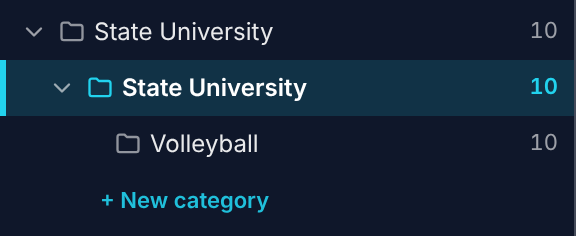
New category
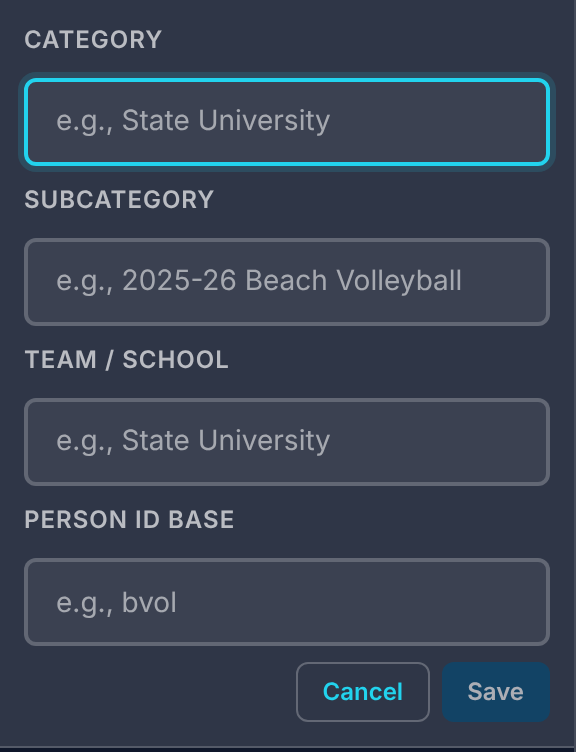
| Field | What it's for |
|---|---|
| Category | The school or club, such as State University. |
| Subcategory | The team or season, such as 2025-26 Beach Volleyball. |
| Team / School | What long captions use: “Cameron Ellis #9 of State University”. |
| Person ID base | Optional. Numbers the Person IDs for you, such as bvol0001, bvol0002. Leave it blank and Desktop makes one from the subcategory name, so Women's Volleyball numbers wv0001, wv0002. |
Index headshots
- 1
Select the subcategory
The drop zone appears above the cards, showing the next Person ID and the team. - 2
Drop in headshots
Drag them in, or click to browse. JPG, HEIC, HEIF, TIF, TIFF, PNG and WEBP. - 3
Check each card
Names come from the file name, or from Persons Shown when the file has it. A number after the name fills the jersey number: Jack Gurr 2.jpg, JackGurr2.jpg, or Jack Gurr 2 in Persons Shown. Any number still blank is read from the photo. Everything stays editable before it's created. - 4
Index
The people appear as cards, ready for MatchID.
Teams from Cloud
If you also run GalleryID Cloud, its teams show in the Cloud section of the left rail, under your Desktop teams. It’s the same kind of folder tree: each Cloud account is a folder, with its categories and their teams inside. Sign in under View ▸ Cloud first. Desktop doesn’t need Cloud; this is only for when you use both.
- 1
Pick a team
A team that isn't on Desktop yet shows a cloud icon. Click it to see who's on it in Cloud. - 2
Index it
Click Index to Desktop, or Index on the row. Index all on a category does each of its teams. Each headshot downloads and is indexed on this computer with Desktop’s own MatchID, so the team matches the same way your Desktop teams do. While it runs, the team’s row counts the headshots (12/40), and the status line under Cloud and the Tasks tray say what it’s doing. - 3
Use it
It works like any other team: open its cards, pick it for a MatchID run, set its common codes. In the MatchID panel's team list, a Cloud account's teams show under its name with a Cloud tag.
What Desktop picks up
| Change in Cloud | What Desktop does |
|---|---|
| A new person with a headshot | Downloads the headshot and indexes them. |
| A new headshot | Indexes it and replaces the reference it came with. References you added yourself stay. |
| A name, number or position | Updates it. A fix you make on Desktop stays until Cloud changes that same field. |
| Someone leaves the team | Moves them to Not on a Cloud team. Nobody is deleted, so their tags and past matches stay. They come back by themselves if Cloud puts them back on a team. |
| Roster Library teams | Teams fed from league rosters change when those rosters do, and the changes come through the same way. |
Desktop checks about once an hour while it’s open, when you open MatchID People, and right after you sign in or switch accounts. Sync now checks straight away. A check waits while a MatchID run is going.
More than one Cloud account
Each Cloud account your login belongs to is its own folder, and its teams keep their own place on Desktop. Hover over another account’s folder and click Switch to see all of its Cloud teams. The teams you indexed from the first account stay in its folder and keep working in MatchID. Desktop checks them again once you’re back on that account, because a check always runs as the account you’re signed in to.
Stop syncing a team
Open the team and click Stop syncing. Its people stay exactly as they are. Resume syncing picks up from there.
People cards
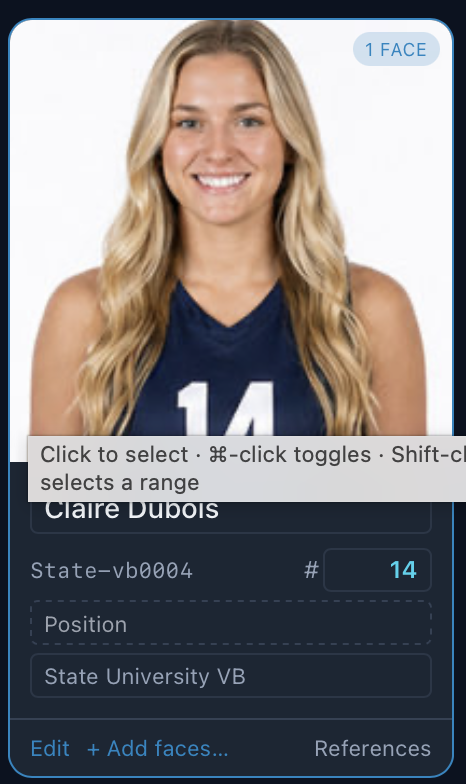
| On the card | What it does |
|---|---|
| N FACE | How many reference photos this person has. |
| Name, #, position, team | Edit them right on the card. |
| Edit | Opens the full edit window. |
| + Add faces… | Adds more headshots. More angles improve matching. |
| References | Shows and prunes the reference photos used to match this person. |
| Click the photo | Selects the card. ⌘-click adds or removes one, Shift-click selects a range. Selected people can be moved to another organization, category or team. |
Edit a person
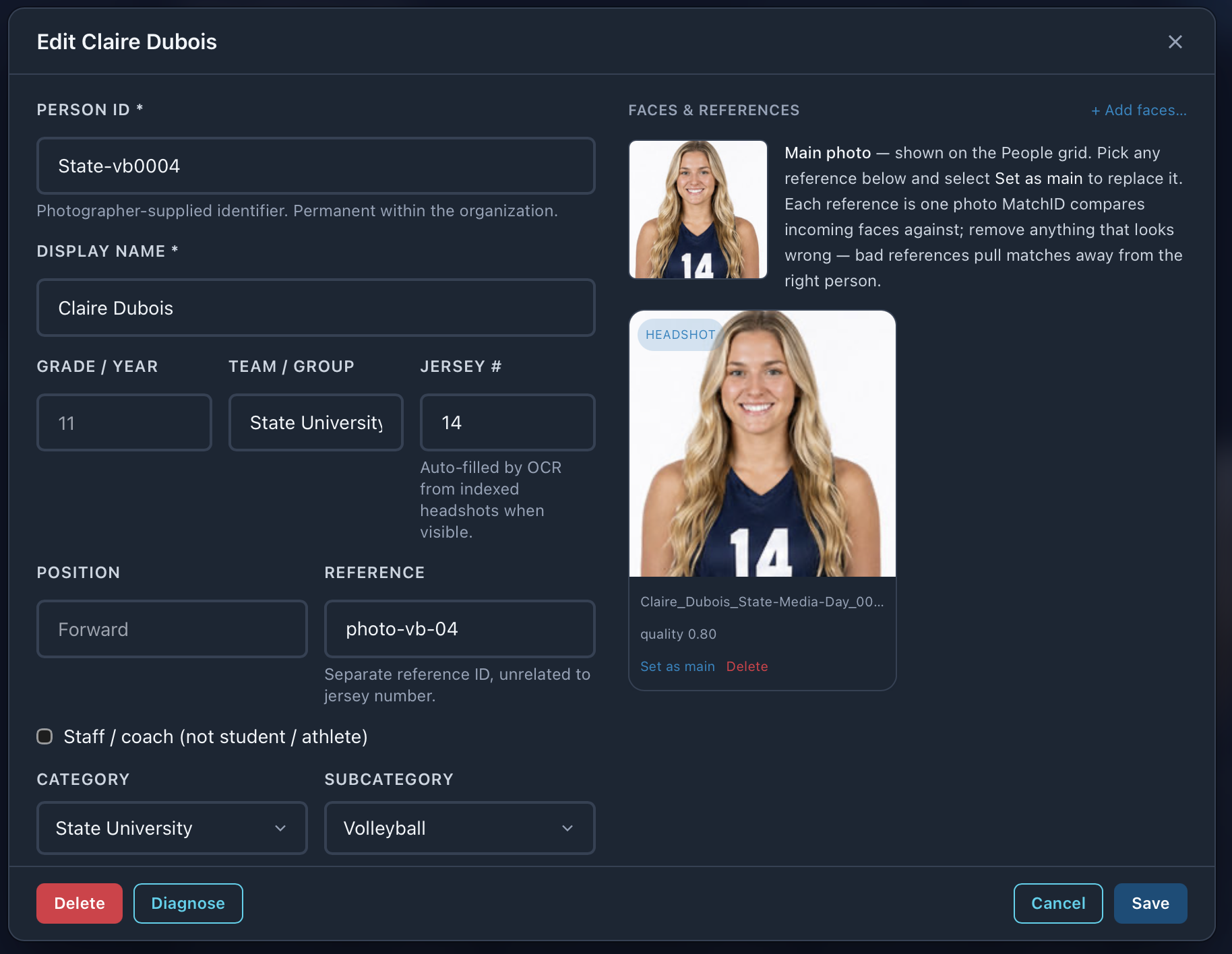
| Field | What it's for |
|---|---|
| Person ID | Your identifier. Permanent within the organization. |
| Display name | The name written to captions. |
| Grade / Year, Team / Group, Jersey #, Position | Fill the matching tokens. The jersey number is read from indexed headshots when it's visible, and it's the number MatchID looks for on your photos. |
| Reference | A separate reference ID of your own, unrelated to the jersey number. |
| Staff / coach | Marks a staff member rather than an athlete. |
| Category / Subcategory | Moves the person to another team. |
| Faces & references | The main photo shown on the grid, and each reference MatchID compares against. Set as main or Delete one. |
| Diagnose | Re-reads each of this person's headshots and checks it against the stored face. A healthy person scores 0.95 or higher. |
More actions
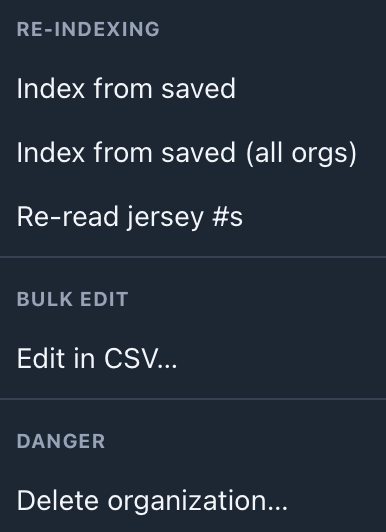
| Action | What it does |
|---|---|
| Index from saved | Indexes people in this organization who have a saved headshot but no face index yet. |
| Index from saved (all orgs) | The same, across each organization. |
| Re-read jersey #s | Reads the jersey numbers from the headshots again. |
| Edit in CSV… | Edits the people you're looking at as a spreadsheet. |
| Delete organization… | Deletes the organization and everyone in it. It asks first. |