MatchID
Tag photos with MatchID
MatchID reads faces and jersey numbers against the people you indexed, then you review what it found. Names are confirmed. Never guessed.
Get to the review
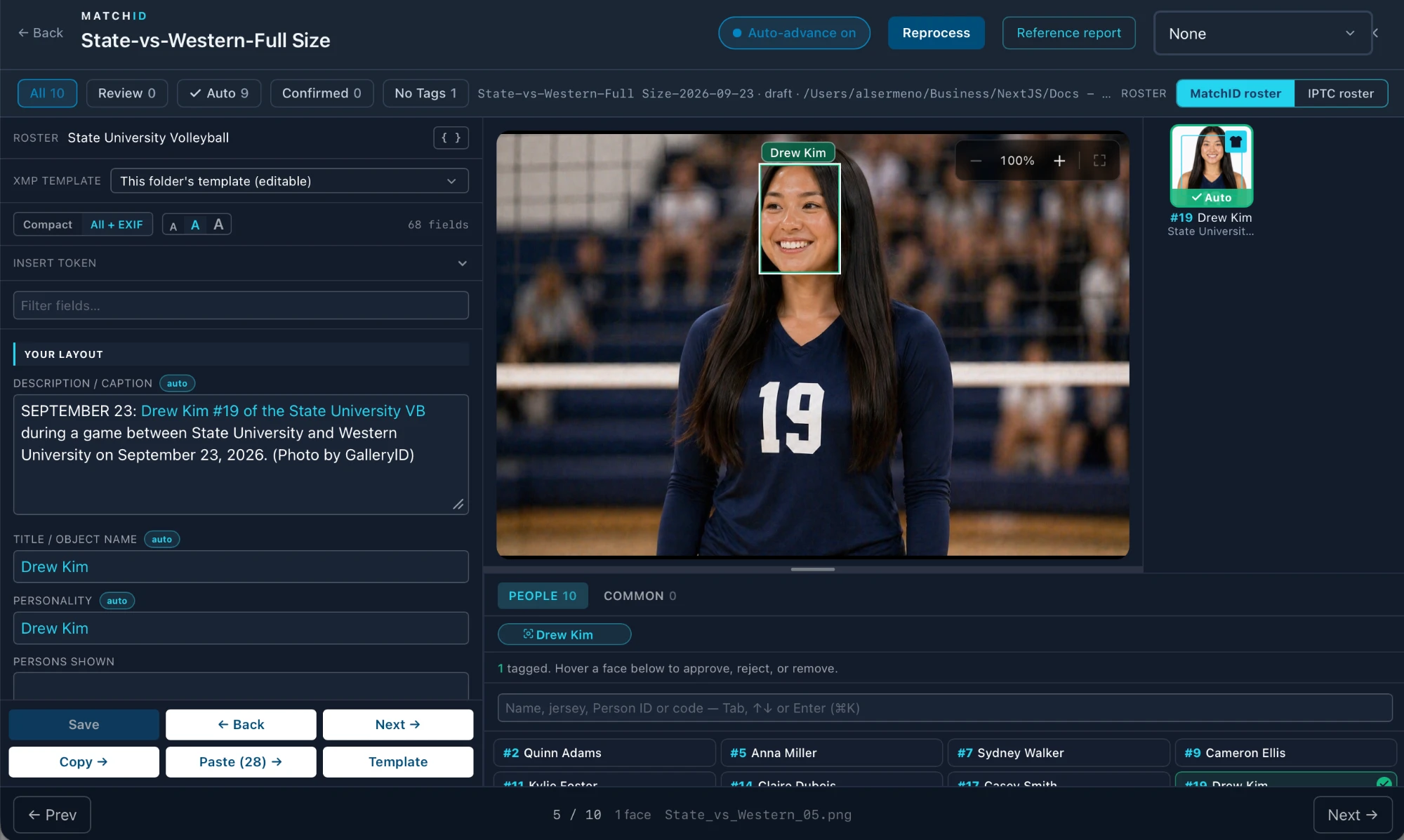
- 1
Set the folder's teams
MatchID compares against the teams set for the folder. One team beats the whole library. - 2
Run MatchID on the folder
From the MatchID button in Browse. When it finishes you land here; if you've moved on, a toast offers Review. Later, Review 9/10 in Browse brings you back. - 3
Work through Review
Approve or reject each card. Anyone MatchID missed, tag from the roster underneath.
On deadline, let MatchID predict and the roster caption. Read the name on the card, then start typing it in the tag box: if your roster completes it, the two agree and the caption is written from the roster.
Top bar
| Control | What it does |
|---|---|
| ← Back | Back to where you came from (Esc). |
| Auto-advance on / off | On: a photo leaves the filtered list as soon as it stops matching, such as when you approve its last Review card. Off: visited photos stay until you click a filter again. |
| Reprocess | Finds faces again across each photo in the folder and matches them against your people. |
| Common codes | The common-code set for this team, used by the Common tab. Set once per team, it follows the team to any folder. |
Filters

| Filter | Shows photos with |
|---|---|
| All | Every photo in the folder. |
| Review | A match below your auto-approve line, or a player suggested from a jersey number. Nothing is written until you decide. |
| Auto | A match at or above your auto-approve line, already approved. |
| Confirmed | A match you approved yourself. |
| No Tags | No one named yet: MatchID couldn't name a face, and no jersey number points to one player. |
Review and Auto follow your current Required confidence setting. Change it in MatchID settings and the counts re-sort straight away, no reprocessing.

Face cards
Each face MatchID named gets a card in the right-hand column and a frame on the photo, in the same color.
| Card | Frame | Means |
|---|---|---|
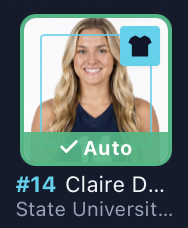 | 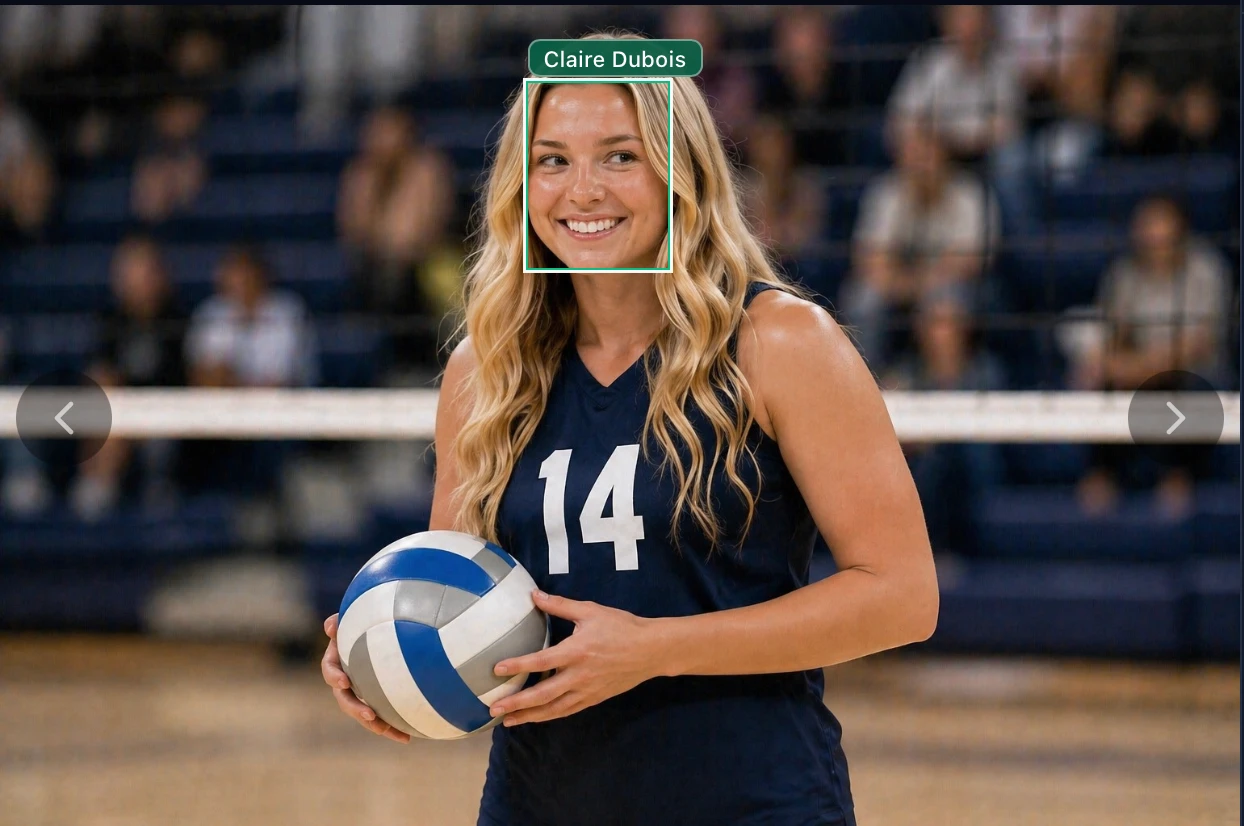 | Auto: approved, above your line. |
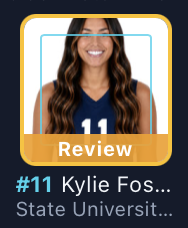 | 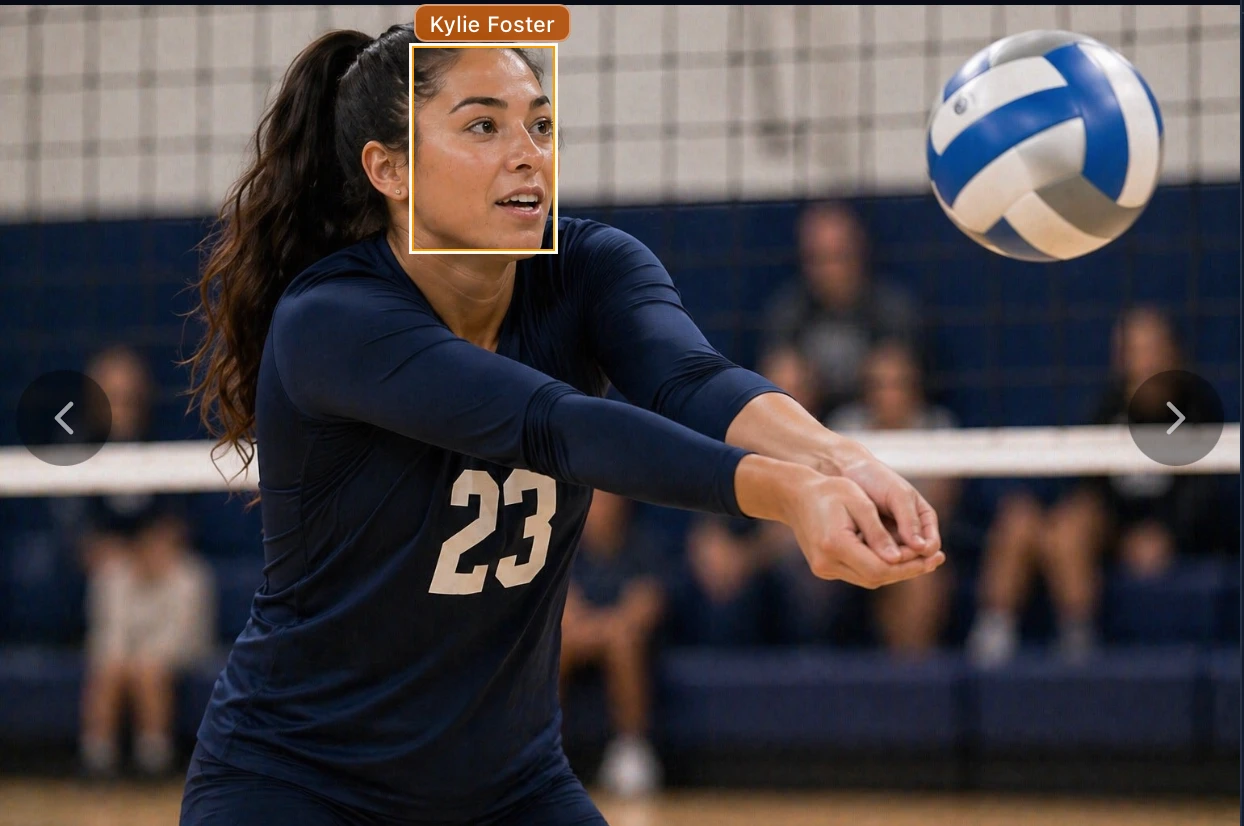 | Review: MatchID's suggestion, waiting for you. |
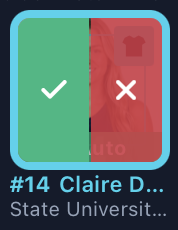
- •✓ approves: the name is tagged and the caption fills in from the folder’s template.
- •✕ rejects the match. On an approved card it removes the tag.
- •The shirt badge means the jersey number MatchID read agrees with that person’s roster number.
- •Hover a card and its frame on the photo lights up, so you know which face it means.
Check the number on a Review card. In this set, MatchID suggested Kylie Foster (#11) for a player wearing 23. Reject it and tag the right person from the roster.
Jersey cards
Back-of-jersey and helmet frames often show no face that MatchID can name. When no face on a photo matched anyone, MatchID reads the jersey numbers instead and suggests the player on the folder’s teams who wears each one. The card carries a JERSEY label, and the number is framed on the photo.
| The number | What you get |
|---|---|
| Worn by one player on the folder's teams | A JERSEY card for that player. |
| Worn by two or three players on one team | A card for each. Approve the one in the photo and the others are rejected. If it's none of them, reject each card. |
| Worn by players on different teams, or by more than three | No card. The number can't say whose it is. |
| On a photo where MatchID named a face | No card. The face comes first, and a number on that player's own body backs up the match as the shirt badge. |
- •A JERSEY card is never approved for you, whatever your auto-approve line. Nothing is written to the file until you approve it.
- •With no face in the frame, only the main number counts: big enough, and clearly bigger than any other. With faces in the frame, a number counts when it sits on one of those players, or when it’s big. A scoreboard or a sign off to the side doesn’t.
- •The number has to match the Jersey # on the person’s People card exactly. Numbers come from the indexed headshots, not from a roster file.
- •Reject a card and that person isn’t suggested on that photo again, even after Reprocess.
Check the number against the photo before you approve. A sideways or half-covered number can be misread, and with only your team set for the folder, the other team’s #5 is suggested as yours. Reject it and tag the right person from the roster.
Keys
| Key | What it does |
|---|---|
| A | Approves each pending match on this photo. JERSEY cards for a number two or three players wear are left for you to pick. |
| R | Rejects each pending match on this photo. |
| ← → | Previous / next photo. |
| ⌘N / ⌘B | Saves and moves, and the cursor stays in the same caption field. |
| ⌘K | Jumps to the tag box, even while typing. |
| Esc | Closes the review. |
Which roster

| Toggle | The cards underneath are |
|---|---|
| MatchID roster | The people indexed for this folder's teams. |
| IPTC roster | The folder's roster file, for anyone who isn't indexed. |
- •The toggle appears when the folder has both. With one, the header names the list you’re looking at.
- •Tag the same person from both sides and they’re written once.
- •Common codes sit under whichever roster is showing, and a code is written once per photo however many people are tagged.
Tag a whole sequence at once
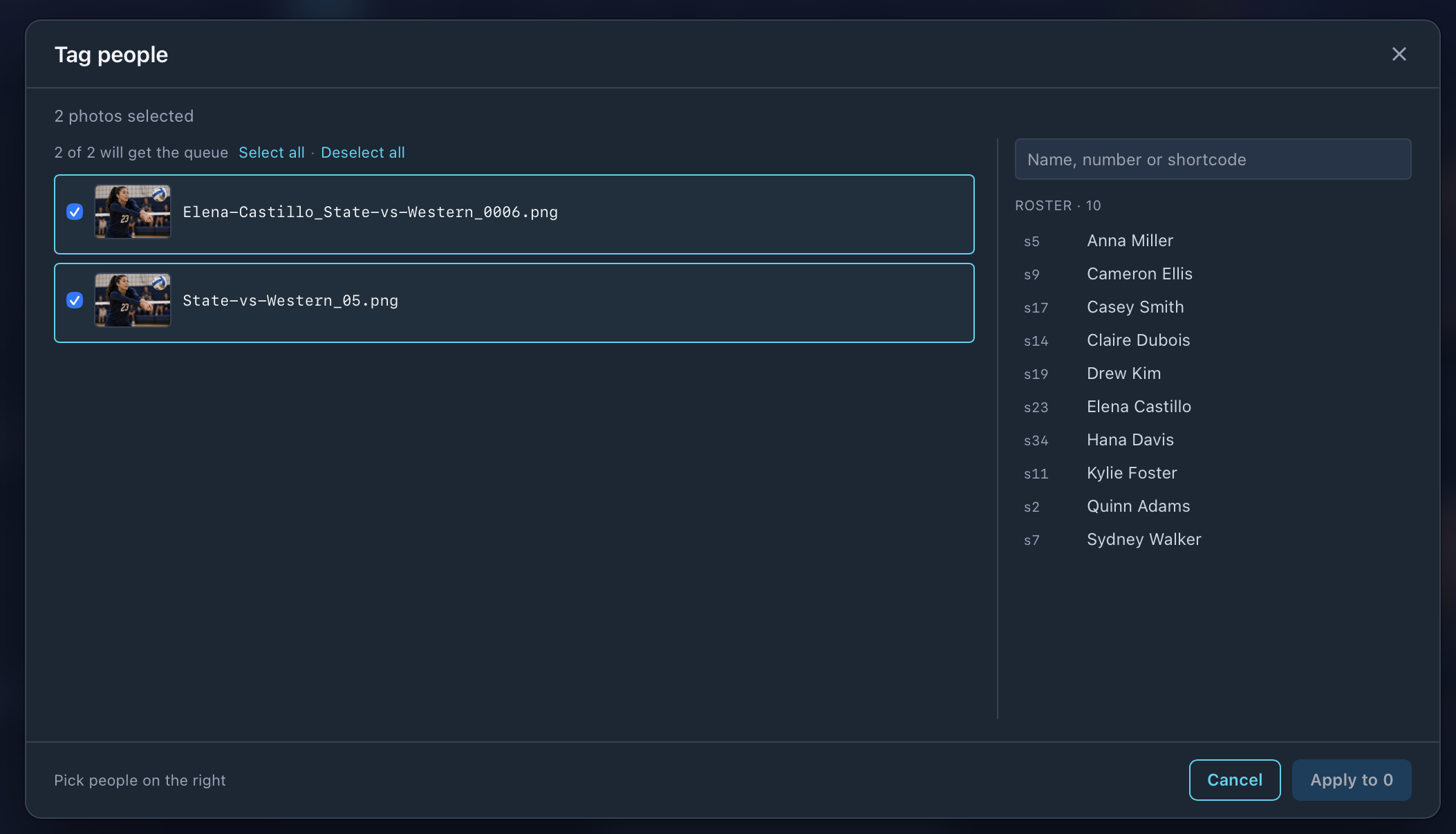
- 1
Select the frames in Browse
Then press ⌘T, or right-click ▸ Tag people… - 2
Queue the people
Search by name, jersey number or shortcode. Each frame lists them as pending chips. - 3
Make the exceptions
Click a chip to leave that person off that frame. The checkbox, thumbnail or filename drops a whole frame. - 4
Apply
Removals and additions land together. Nothing is written before.
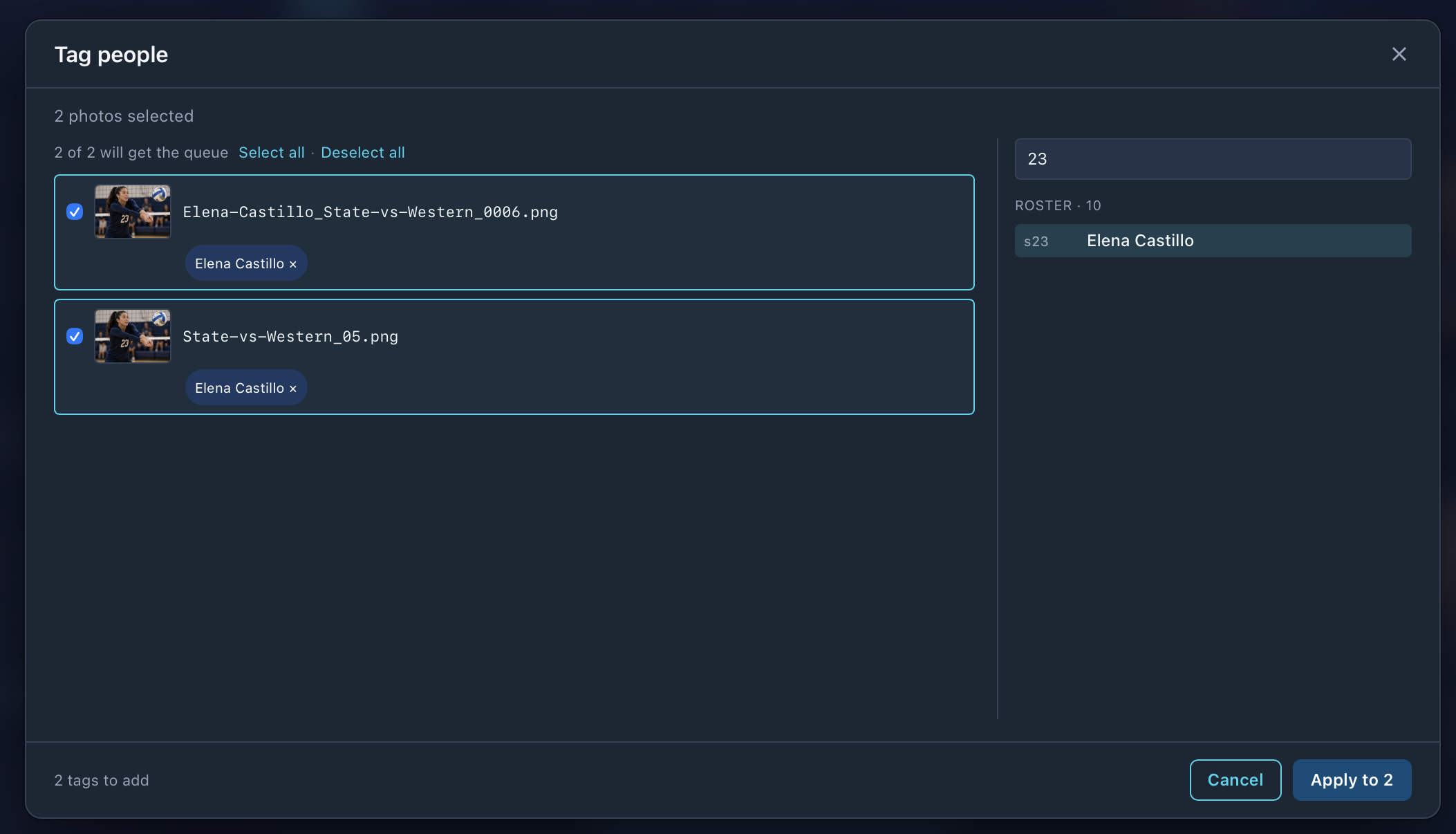
It writes tags, never captions, so each frame’s fields fill in from the folder’s template as if you’d tagged it by hand. With no person tokens in the template there’s nothing to fill, and the window says so.